Warehouse Visitor Check-In: How to Greet Drivers and Contractors When No One Is at the Front Desk
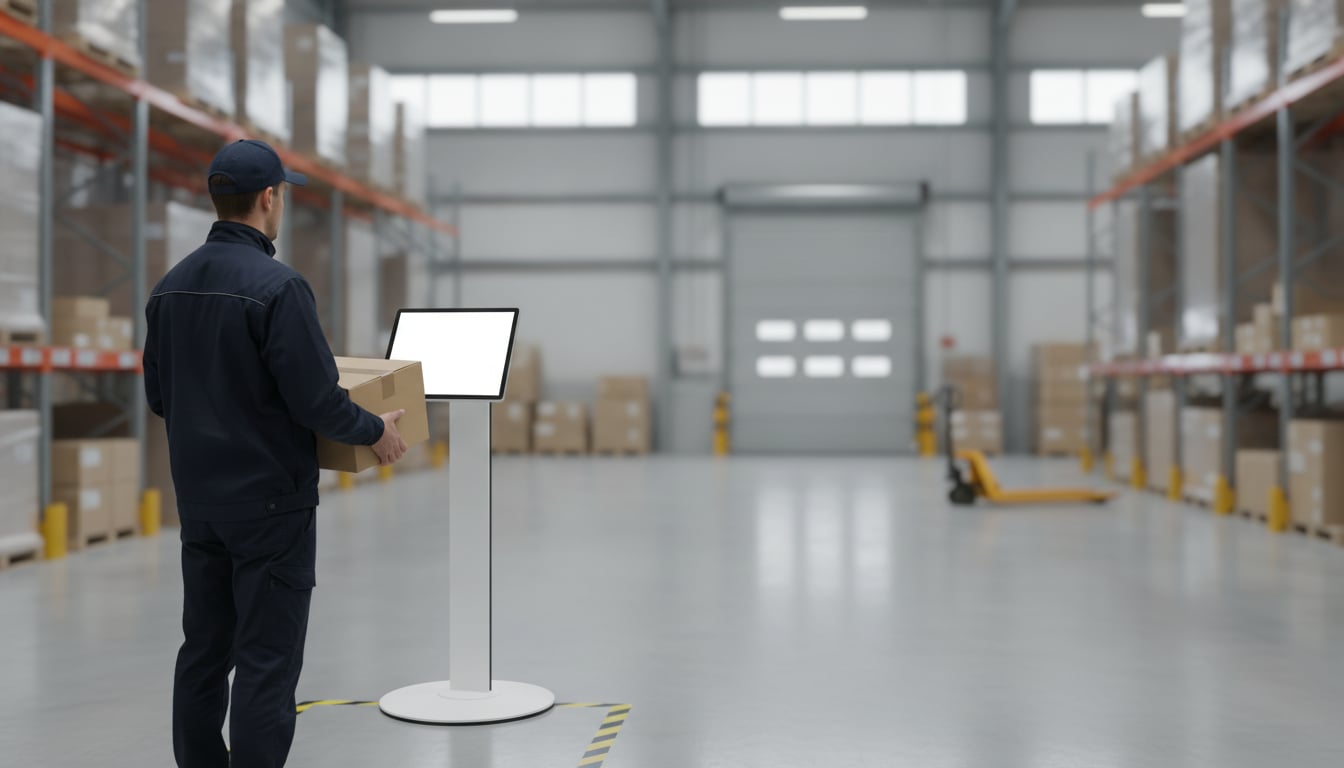
A driver pulls up to your receiving window at 6:40 a.m. The office light is off, the bell does nothing, and the clock on their next stop is already running. They wait a few minutes, then climb down from the cab and start walking toward the noise of the forklifts to find somebody.
If that sounds familiar, the issue is not your people. It is that nobody can be at the front desk all day. A simple warehouse visitor check-in setup fixes the gap: visitors tap a button on a tablet at the door, and the right person gets a ping on their phone. This guide covers why the gap exists, what it costs you, and how to close it in about 10 minutes.
Why Your Warehouse Front Desk Is Empty More Often Than You Think
Most small warehouses and plants run the front office with one or two people. That person is also doing payroll, answering the phone, chasing paperwork, and covering for whoever called out. Every time they step away, the door is unattended.
The layout works against you, too. The office usually sits at one end of the building while the docks are at the other, so the people who actually need to know a truck has arrived can't see the entrance. Add shift changes, early start times before the office opens, and lunch breaks, and the desk is empty for a bigger part of the day than anyone would guess.
Then there's the mix of visitors. In a single morning you might see a carrier dropping a load, a parcel courier, an HVAC tech, a sales rep, a job candidate, and an auditor. Each one needs a different person. Without a clear warehouse visitor check-in process, they all end up asking the first employee they bump into, and that employee usually has a forklift to drive.
The Real Cost of Drivers and Contractors Wandering Your Site
An empty desk feels like a minor annoyance. On a working floor, it adds up to real risk and real money.
Safety: unescorted visitors near forklifts and racking
A visitor who goes looking for help walks straight into the places they shouldn't be: forklift lanes, loading zones, under high racking. They don't know your traffic patterns, and they're often not wearing a vest or safety glasses. One near-miss with a reach truck is enough to make the case for keeping visitors at the door until someone comes to get them.
Detention time and late unloads
Drivers run on tight schedules. Every minute spent hunting for someone to sign the paperwork pushes back their next stop, and long waits can turn into detention charges and a carrier that would rather not come back. A fast delivery driver check-in at the entrance means receiving knows the truck is here the moment it arrives, so you can get it to a door and unloaded sooner.
Paper sign-in sheets nobody can read later
The clipboard by the door was supposed to solve this. In practice, half the entries are illegible, times are missing, and the sheet gets wet, torn, or lost. It also shows every visitor the names and companies of everyone who came before them. And the clipboard doesn't tell anyone that a person is waiting. It just sits there.
Set Up a Tablet Check-In Kiosk That Pings the Right Team
You don't need a badge printer, a sales demo, or an enterprise contract to fix this. Put a tablet at the entrance with Reception With App, and visitors announce themselves. The app runs on iPad and Android tablets, so a spare Android tablet sitting in a drawer works fine.
One button per visitor type
Set up a button for each kind of visitor you get, and send each one to the team that handles it. You can add as many buttons as you need, with text or a photo. A typical layout looks like this:
| Button | Who gets the alert |
|---|---|
| Delivery / Pickup | #receiving channel |
| Contractor / Maintenance | #facilities channel |
| Interview / Meeting | Office manager |
| Other | General channel |
Keep labels short and plain. A driver should be able to read the screen from the cab door and know which button to hit. Used this way, the tablet doubles as a contractor sign-in kiosk: the HVAC tech taps "Contractor / Maintenance," and your facilities lead knows they're at the door.
Alerts in Slack or Teams, on the phone in your pocket
Each tap sends an alert to Slack or Microsoft Teams, in the channel you chose for that button. You can @mention a specific person or role so the alert doesn't get lost in a busy channel. Because Slack and Teams push to phones, the receiving lead out on the dock sees it without walking back to a computer. Teams requires a paid Microsoft 365 plan. If your team uses Chatwork, that works too.
Use the welcome message for site rules
After a visitor taps a button, the screen shows a reply message that you write. Use it for the things you'd otherwise have to say in person:
- "Thanks, receiving has been notified. Please park in the marked truck spaces."
- "Safety vest and glasses are required past this point."
- "Please wait behind the yellow line. Someone will come to meet you."
That one screen keeps visitors in place and sets expectations before anyone walks onto the floor.
Keeping a Visitor Record Without Sending Data to the Cloud
Every check-in is logged on the tablet itself. The app never sends visit logs to the cloud or an outside server, so your visitor history doesn't sit in someone else's database. You can export the log or delete it from inside the app whenever you need to.
If a tablet goes missing from a guard shack or a dock door, you can wipe it remotely with Find My iPad or Google's Find My Device. Set that up before you mount the tablet.
What this app doesn't do
Reception With App sends visitor notifications. It doesn't print badges, scan IDs, open gates or doors, or handle compliance paperwork. If your site needs those, keep your dedicated access-control system and run this app alongside it.
Get It Running in About 10 Minutes
Where to put the tablet
Put it where every visitor has to pass: the guard shack window, the office entrance, or just inside the receiving door. Keep it out of dust, rain, and direct sun, which wash out the screen and heat up the battery. Use a sturdy stand or wall mount at chest height, and run a power cable to it so it stays charged through every shift.
Install, add buttons, connect Slack or Teams, then lock it down
- Install Reception With App from the App Store or Google Play. No account to create and no sales call.
- Add your buttons and write the reply message.
- Tap "Edit," then "Add destination." Sign in to Slack or Teams, approve access, and pick the channel for each button.
- Lock the tablet to the app with Guided Access on iPad or screen pinning on Android.
For device-specific steps, see our Android tablet kiosk guide and iPad kiosk mode guide. To fine-tune who gets each alert, read how to notify the right host, plus our guides to Slack reception notifications and Microsoft Teams reception notifications.
FAQ
Can I use this alongside our existing access control or guard station?
Yes. The app handles visitor notifications only. It tells the right team that someone has arrived, and your gates, badges, and guard procedures keep working exactly as they do today.
Will people on the floor actually notice the alert?
Yes. Slack and Teams push notifications to phones and smartwatches, so a lead on the dock feels the buzz even when they are nowhere near a computer. Use @mentions to target the specific person or role who should respond.
What does it cost?
It is free for 30 days. After that, it is a low monthly subscription billed through the App Store or Google Play, with no setup fee and no contract. See the store listing for pricing in your region.
Stop Losing Time at the Receiving Door
A good warehouse visitor check-in process comes down to three things:
- Visitors stay at the door instead of walking the floor.
- Each visitor type pings the right team in Slack or Teams.
- The visit log stays on the tablet, not in the cloud.
Start with one tablet at the receiving entrance. Once your dock crew sees how it works, adding the office door or guard shack is easy.
Put a Check-In Kiosk at Your Receiving Door Today
No sign-up. Free for 30 days. No contract.